
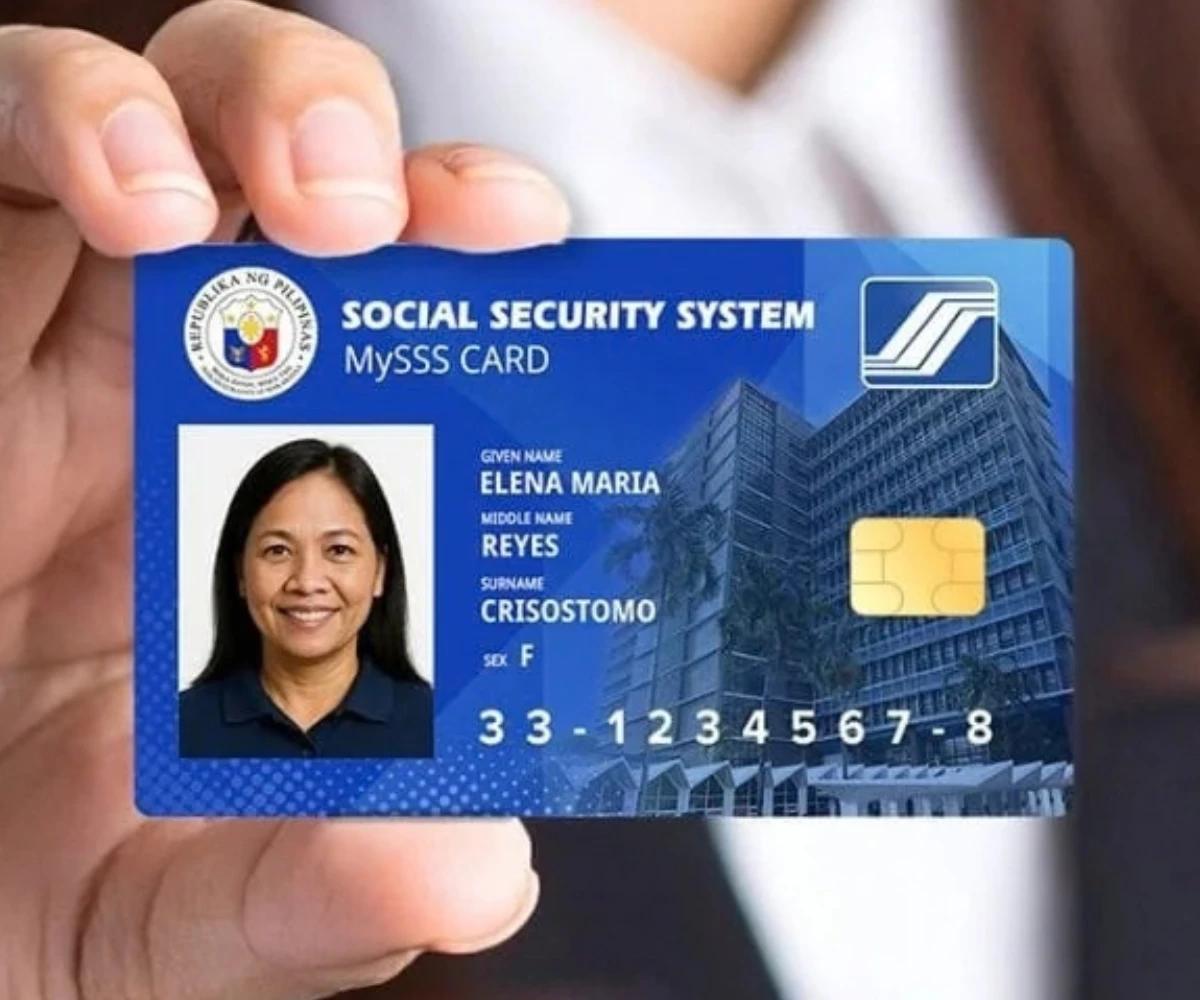
The MySSS Card is one of the essential things you need to get benefits from the Social Security System (SSS). But getting it and finding the correct procedures can make you feel overwhelmed, especially with so much information out there.
That’s why I’ve decided to write this definitive, easy-to-follow guide, saving you the hassle of hunting down the steps by gathering the information for you and explaining it in the simplest way possible. Whether it’s your first time applying or you want to replace a lost MySSS Card, this guide is for you. Let’s get started:
What Is the SSS ID? (Now Known as the MySSS Card)
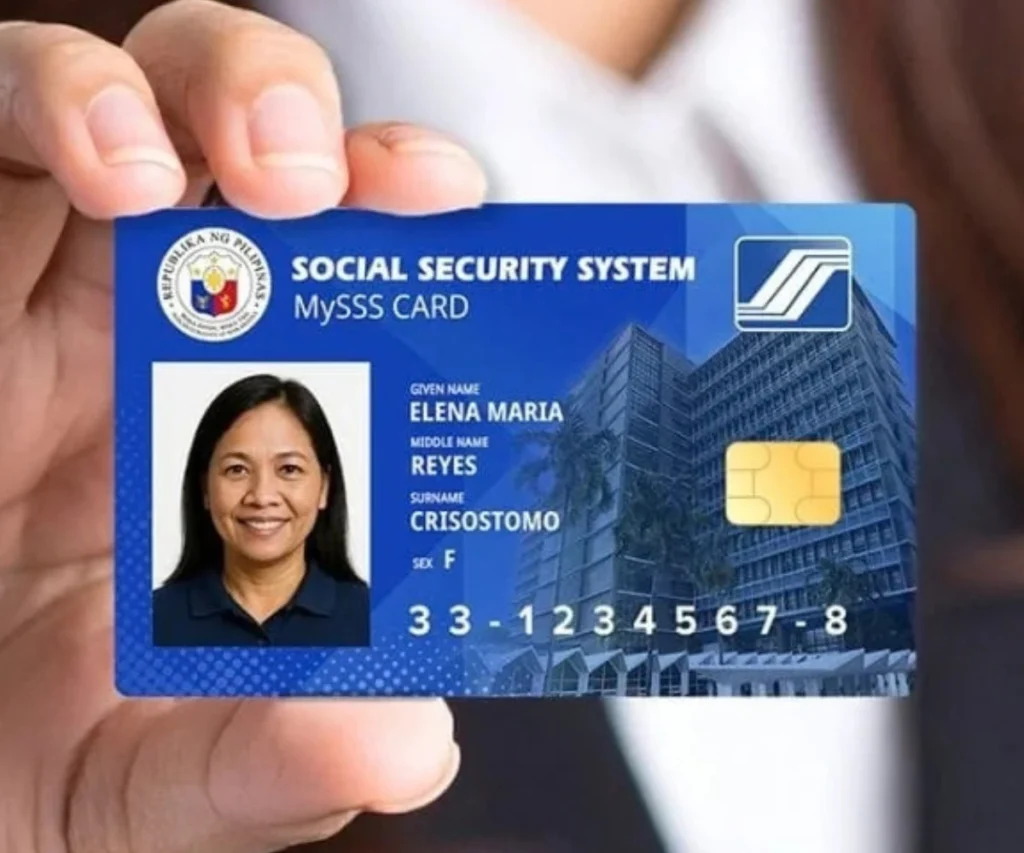
The MySSS Card is the official functional ID issued by the Philippine Social Security System, replacing the older UMID card. It carries your name, photo, and SSS ID number, along with an EMV chip for stronger data protection, and links directly to a real bank account with an SSS partner bank using your National ID (PhilSys) for verification, so your benefits, loan payouts, and pension deposits go straight into that account with no separate enrollment needed.
If you already have a UMID or older SSS ID, it still works for SSS transactions, so there’s no rush to replace it unless you want the upgraded features or need to fix a lost, damaged, or outdated card.
Who Can Get the MySSS Card: Eligibility
The eligibility criteria for the MySSS Card are as follows. Not every member can apply right away.
You may apply if you’re a:
- Regular member
- Prior registrant
- Pensioner
- Individual claimant
- Representative payee
And you meet these conditions:
- Your SS number is tagged as “permanent”
- You’re registered on the My.SSS Member Portal
- Your local address, mobile number, and email are all up to date in SSS’s records
- You’re registered with the National ID (PhilSys)
One important catch: your name and date of birth must match exactly between your SSS record and your National ID. If that’s not the case, even for a small discrepancy, your application can get stuck in the middle of the process. I highly recommend you fix it with the relevant agency (SSS or PSA) before you start.
Requirements for the MySSS Card
Since the process is done mostly online, there’s no pile of paperwork to prepare. You’ll mainly need:
- An active My.SSS account (username and password)
- A completed, up-to-date SSS profile
- Your registered National ID (PhilSys) for identity verification
- For the bank account opening stage: a valid government ID and a selfie or biometric check through your chosen bank’s app
How to Apply for the MySSS Card: Application Process
Applying happens in two stages. First with SSS, then with a partner bank.
Stage 1: My.SSS Member Portal
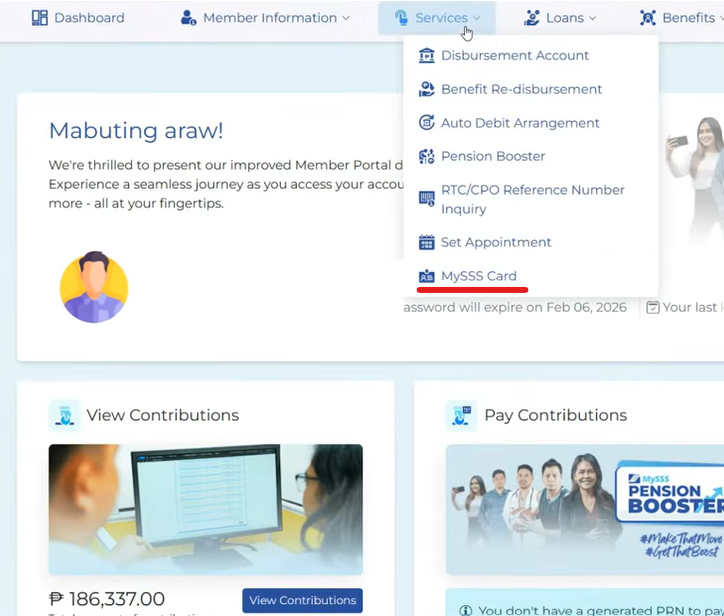
- Log in to your My.SSS account.
- Go to Services → MySSS Card.
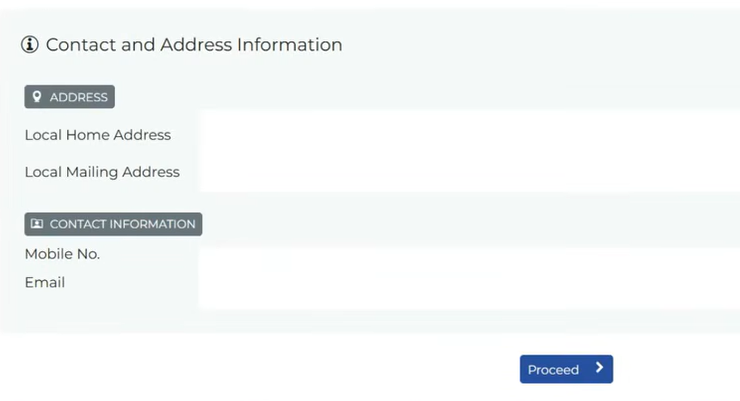
- Confirm your personal details are correct (update anything that isn’t).
- Consent to identity verification through National ID eVerify, using your National ID photo.
- Complete a quick facial scan, then choose your preferred partner bank.
- Agree to the terms, this lets SSS share your data with the bank to open your account, and lets the bank share your new account details back with SSS.
- You’ll get a confirmation on-screen, plus an email and My.SSS inbox notification.
Stage 2: The Bank
- Depending on the bank, apply through their app or visit a branch.
- Complete the bank’s own verification and pay any applicable fee.
- Wait for the bank to notify you (SMS or app) that your card is ready.
Fees: The bank may charge a card fee, if it’s not paid within the given window, the application gets cancelled. Exact charges depend on the bank’s own terms.
Delivery time:
- Metro Manila: about 15 working days after your account is opened
- Outside Metro Manila: about 20 working days
Partner banks: Rizal Commercial Banking Corporation (RCBC) is currently the first bank offering the MySSS Card, with more banks expected to join.
Note: you can only hold one MySSS Card with one bank at a time. To switch banks, you’ll need to close your existing MySSS account first, wait for SSS to deactivate the old card, then apply fresh with the new bank.
How to Replace a Lost or Damaged MySSS Card
Since your MySSS Card is issued and produced by your partner bank rather than by SSS directly, replacing it works much like replacing a lost or damaged debit card.
To recover your MySSS Card, follow these steps:
- Contact your partner bank first. Report the lost or damaged card through their app, hotline, or nearest branch, the same way you would for any other bank card.
- Request a replacement card. The bank will guide you through their own reissuance process, which may include identity verification and a replacement fee.
- Keep your My.SSS account updated. Since your MySSS Card is tied to your SSS records, make sure your contact details stay current so you receive any notifications related to your account status.
- Wait for processing and delivery. Replacement timelines will depend on your bank’s own policies rather than SSS’s.
How to Use the SSS ID
Once issued, your MySSS Card works as:
- Proof of SSS membership: for transactions with the Social Security System
- A debit card: usable for in-store and online purchases, since it’s tied to a real bank account
- Your default disbursement account: automatically set to receive benefits, loans, and pensions
Benefits of Getting the MySSS Card
Getting the MySSS Card comes with the following benefits:
- No separate bank enrollment: your account is linked automatically, replacing the old DAEM (Disbursement Account Enrollment Module) process
- Stronger security: biometric verification against your National ID helps prevent fraud
- Everyday convenience: use it for payments, not just SSS matters
- Faster benefit access: pensions, loans, and claims go straight to a real, usable bank account
FAQs
Is the MySSS Card free?
The SSS side of the process has no fee, but your chosen bank may charge for producing the card.
Can I use the MySSS Card as a general valid ID?
For SSS transactions, yes. For other agencies or private institutions, it depends on their own policy. It isn’t a mandatory accepted ID everywhere.
Do I need to visit an SSS branch for biometrics?
No. Your National ID photo is used instead of a fresh capture.
What if I lose or damage my MySSS Card?
Since it’s issued and produced by your partner bank, you’d coordinate replacement through that bank, similar to replacing a lost debit card, while keeping SSS updated through your My.SSS account.
What happens to my old disbursement account once I get a MySSS Card?
It’s automatically replaced as your main disbursement account. Older enrolled accounts stay in the system but stop being used for SSS payouts unless your MySSS account is later closed.
When is the MySSS Card fully available?
The program’s full rollout was targeted for September 2025, with additional partner banks expected to follow.
Conclusion
The MySSS Card is a real upgrade from the old UMID system, linking your SSS identity to a working bank account with stronger security and everyday convenience. If you’re registered with the National ID and your SSS details are up to date, applying is quick and mostly online. Not ready to switch? No pressure. Your existing SSS ID or UMID still works fine.
I hope I’ve covered all the information you need to get your MySSS ID Card. Still, if you’re facing any kind of issue during the process, feel free to comment on this guide, and I will make sure to get your issue fixed.