
Hiring your first employee? Then you’re an SSS employer. The law requires you to register your business and cover your workers.
This guide keeps it simple. You’ll learn how to register, what your duties are, and how to pay contributions
What Is an SSS Employer?
An SSS employer is anyone who runs a business in the Philippines and hires workers. It can be a person or a company. It can also be a foreign business operating in the country.
A self-employed person is both employee and employer at the same time.
The government and its agencies are not covered by this definition.
Who Is Considered an Employer?
These are also considered employers:
- Non-profit groups that hire workers (social, civic, professional, charitable)
- Foreign governments or international organizations with an approved SSS agreement for their Filipino workers
- Household employers who hire a house helper
- Manning agencies of sea-based OFWs
For household employers, whoever pays the helper is the employer. It can be the husband, wife, or any other person.
SSS Employer Registration: How to Register as an SSS Employer
Your SSS coverage starts on the first day of your business operation. Register right away.
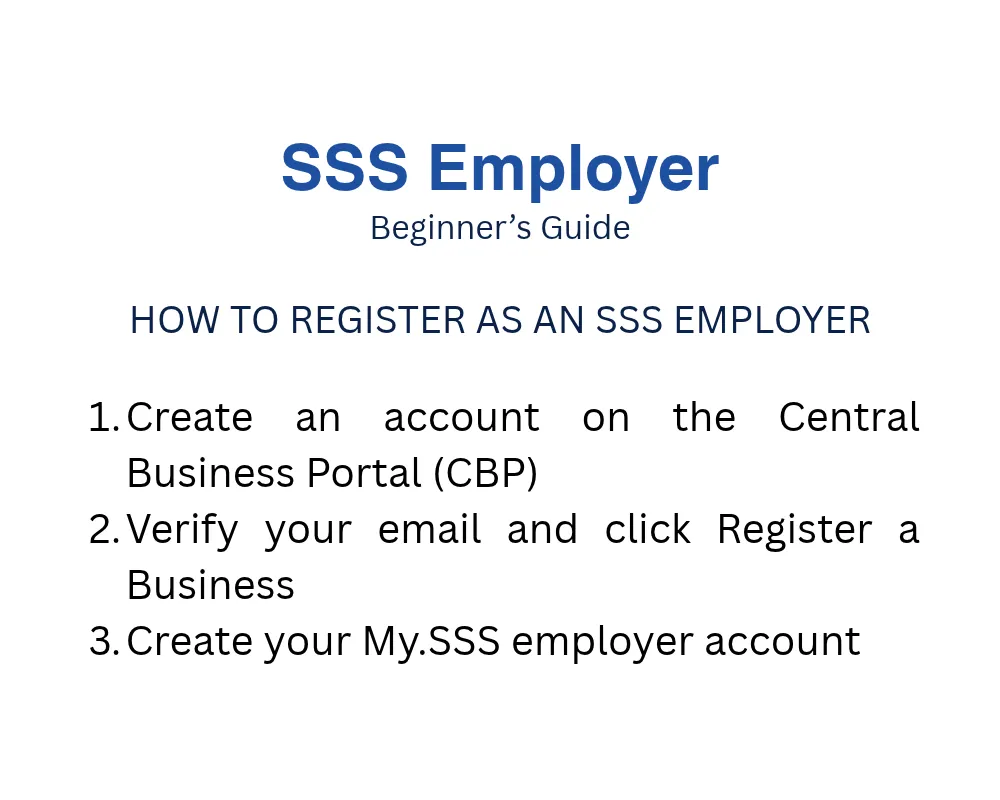
There are two ways to register.
Option 1: Central Business Portal (CBP)
The CBP is a one-stop government portal. It covers SSS, PhilHealth, Pag-IBIG, BIR, and SEC.
- Go to the CBP website and create an account.
- Click the verification link sent to your email.
- Log in and click Register a Business.
CBP-registered employers don’t need to submit SS Form R-1 or supporting documents. SSS also sends a registration link to your company email.
Option 2: Over the counter
Registering through the CBP is not required. You can still register in person at an SSS branch.
Tip: Book a slot first using our SSS Online Appointment guide.
Duties and Responsibilities of an SSS Employer
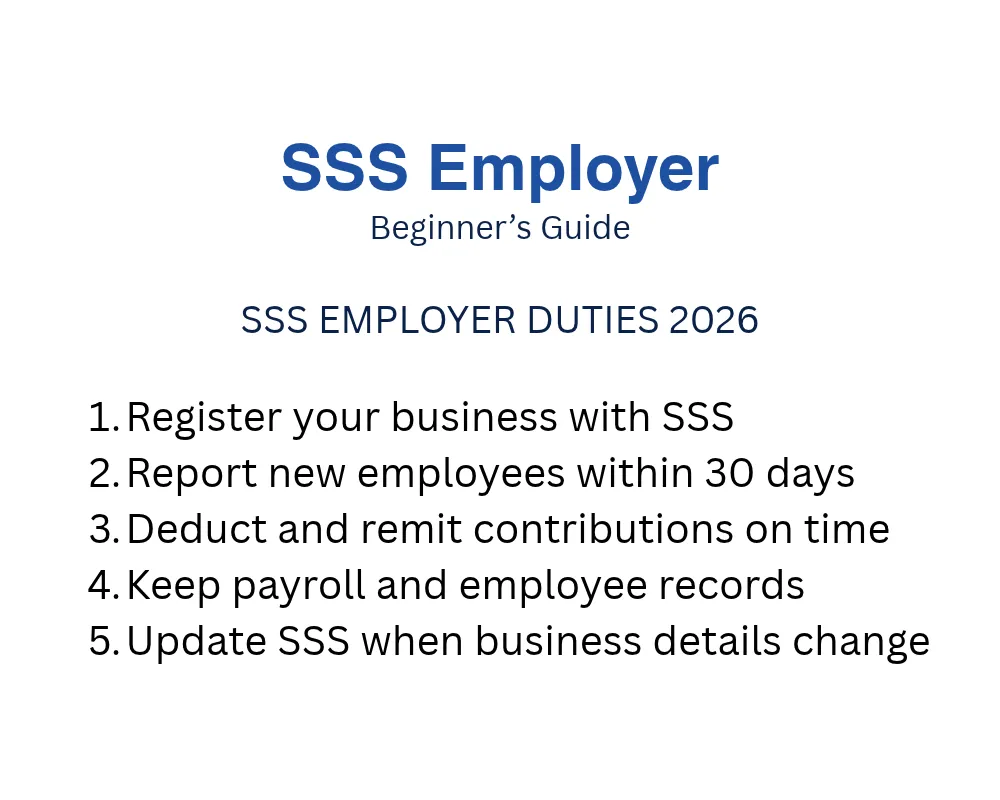
Registering is only the first step. Here’s what you must do next.
Register and report
- Register with SSS and get your employer ID number.
- Require employees to present their SS numbers.
- Report new employees within 30 days from the hiring date.
Deduct and remit contributions
- Deduct the employee share from their pay each month.
- Add the employer share and the EC amount.
- Pay using a Payment Reference Number (PRN) on time.
See the amounts in our SSS Contribution Table.
Handle loans
- Deduct employee loan amortizations from their pay.
- Remit them with the Loans Collection List (LCL) using a PRN for loan payments.
- Ask new hires to disclose any existing SSS loans.
Pay Provident Fund contributions
For employees earning over ₱20,000, deduct their share of the mandatory Provident Fund. Remit it together with your share.
Advance certain benefits
Pay these first for qualified employees:
- Sickness benefits, based on an approved notification
- Maternity benefits, based on an approved notification
Keep records
- Keep accurate employment and payroll records.
- Keep receipts of contributions and loan payments.
- Keep records of sickness, injuries, and deaths.
- Show your records when SSS asks for inspection.
Stay updated
- Report changes using the Employer Data Change Request (SS Form R-8).
- Submit an updated Specimen Signature Card (SS Form L-501) every year.
- Keep employees informed about SSS rules.
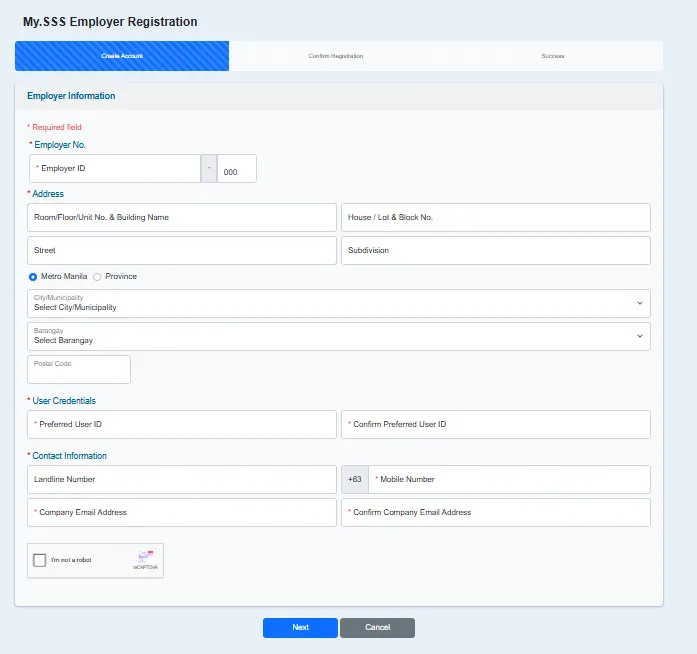
My.SSS Registration for Employers
A My.SSS account makes transactions faster. Here’s how to create one.
- Visit the SSS website. Click Create a My.SSS account or login.
- Select Create account. Choose Employer.
- Fill out the Employer Information form. Details must match your SSS record.
- Check the box for “I’m not a robot.” Click Next.
- Review your details. Accept the Terms of Service. Click Submit.
- Open the email sent to your company address.
- Add your authorized signatory details. Single proprietors just tick the box.
- Wait for validation by the SSS servicing branch.
- Set your password when you get the approval email.
If your application is rejected, SSS emails you the reason.
Employers without a Date of Coverage can also register in My.SSS.
How to Register a Bank Account in My.SSS
Enroll your bank account to get reimbursements directly. No more checks in the mail.
- Log in to your My.SSS employer account.
- Go to Services. Click Disbursement Account Enrollment Module (DAEM).
- Read the reminders. Tick the box. Click Proceed.
- Choose a PESONet participating bank. Enter your account number.
- Upload a clear, colored image of your proof of account. Keep it under 1MB.
- Tick the certification box. Click Enroll.
- Review your details. Click Proceed.
- Wait for the SSS email confirming the result.
Important:
- Your account name must match your registered name in SSS.
- Enroll only one PESONet bank account.
- That one account works for all your branches and subsidiaries.
Updating Your Employer Information
Business details change. SSS needs to know.
Contact details
You can update your email, telephone, and mobile number online. Use My.SSS. No documents needed.
Other changes
Report these right away to the nearest SSS office:
- Business name or address
- Owner or officer changes
- Change in business status
Fill out the Employer Data Change Request (SS Form R-8). Attach the original and a photocopy of supporting documents. The form must be notarized, except for changes in address, email, or phone numbers.
Who signs Form R-8?
| Ownership Type | Signatory |
| Single Proprietorship | Owner, or the legal spouse if the owner is absent |
| Partnership | Managing Partner |
| Corporation | President, General Manager, Chairman, or Corporate Secretary |
| Foreign-owned Corporation | Designated Philippine Representative |
| Cooperative | Chairman or Corporate Secretary |
Common supporting documents:
- Business name change: DTI Certificate of Registration, or SEC/CDA Articles
- Address change: Proof of billing, lease contract, or barangay certificate
- Owner or officer change: Deed of Sale, Deed of Donation, or General Information Sheet
- Business closure: Approved retirement application, or SEC/CDA dissolution papers
The documents depend on your case. Check the official SSS page for the full list.
How to Pay SSS Contributions as an Employer
Use your PRN to pay. Here are your payment options:
- SSS branches with tellering facilities
- Bancnet e-Gov facility
- SSS-accredited banks (over-the-counter, website, or mobile app)
- SSS non-bank collecting partners
- Automatic debit arrangement
Pay on or before the deadline. Late payments cost more.
Need to check records? Log in to My.SSS. Read our SSS Login guide for help.
Penalties for Non-Compliance
Skipping SSS duties has serious effects. Employers may face:
- Unpaid contributions plus a 2% monthly penalty
- Damages for unpaid or underpaid contributions
- Unpaid loan amortizations, with interest and penalty
- Criminal charges, with a fine or imprisonment
Common violations include:
- Not registering your business on time
- Not reporting employees
- Not deducting or remitting contributions
- Not producing records for inspection
Good to know: Your employees still get their SSS benefits even if you fail to pay. But you must cover those costs yourself.
Household employers who don’t report can face violations under two laws: the Batas Kasambahay and the Social Security Act of 2018.
What to Do If You Receive a Demand Letter
A Demand Letter is a formal notice. It tells you that you have unpaid or missing obligations.
Don’t ignore it. Here’s what to do:
- Check the amount and the months covered.
- Review your internal records.
- Contact the handling Account Officer or Legal Enforcement Officer.
- Settle the amount or start settlement talks.
The letter gives you 10 calendar days to respond. Penalties of 2% per month keep adding up.
You can ask for a Statement of Account. This helps you check the computation.
Settlement options may include:
- Full payment
- Installment
- Other approved programs
Ignoring the letter may lead to a criminal case. You can still settle after a case is filed. But more penalties may apply.
Tips to Stay Compliant
A few habits keep you out of trouble.
- Register your business on day one.
- Report new hires on time.
- Report resignations too.
- Pay contributions before the deadline.
- Keep payroll and receipts organized.
- Check your records every month.
- Update SSS when your business details change.
- Act quickly on any SSS notice.
FAQs
When does SSS coverage start for an employer?
It starts on the first day of your business operation.
Is registering through the CBP required?
No. You can still register in person at an SSS branch.
How soon must I report a new employee?
Within 30 days from the hiring date.
Do I still need to pay if my employee has no SS number?
Ask the employee to get one first. Then report them for coverage.
What if I didn’t report my employee and they get sick?
The employee still gets benefits. But you must pay what SSS would have covered.
Can I update my email and phone number online?
Yes. Use your My.SSS account. No documents needed.
Who pays the household helper’s contribution?
Whoever pays the helper is the household employer. Check the amounts in our SSS Contribution Table.
Conclusion
Being an SSS employer comes with clear duties. Register early, report your workers, and pay on time. This protects your employees and your business.